

Email Analyzer
Outlook for Windows, Mac and the web
Every Display Name, decoded. The real sender and recipient, phishing checks and the Message Banner in Outlook. No data collection.
Real Sender, Real Recipient
The actual address behind every Display Name, and the address each message was sent to.
Spoofing and Phishing Checks
SPF, DKIM, DMARC and CompAuth at a glance, with look-alike domains and disguised links flagged.
Private by Design
Analysis runs on your device. No account, no tracking and no data collection.
Overview
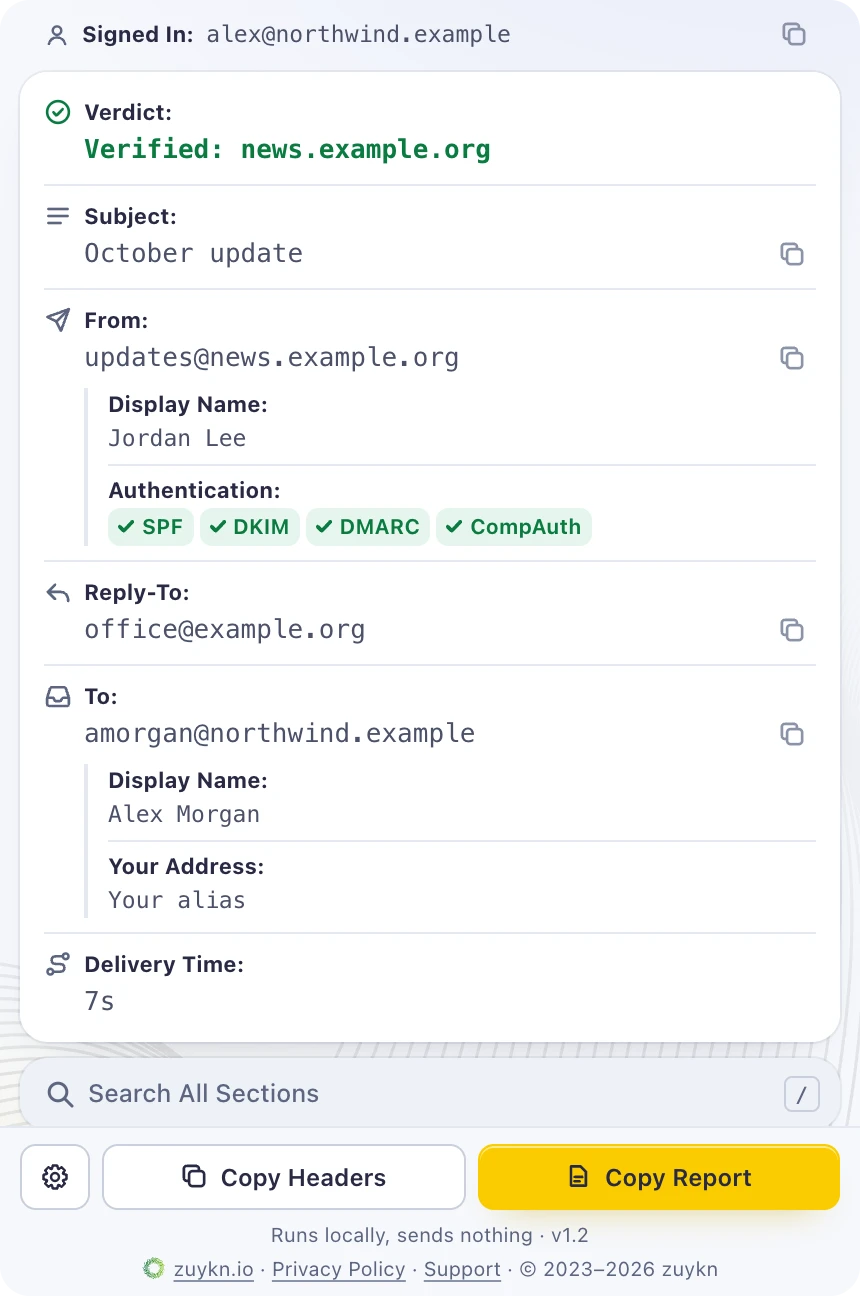
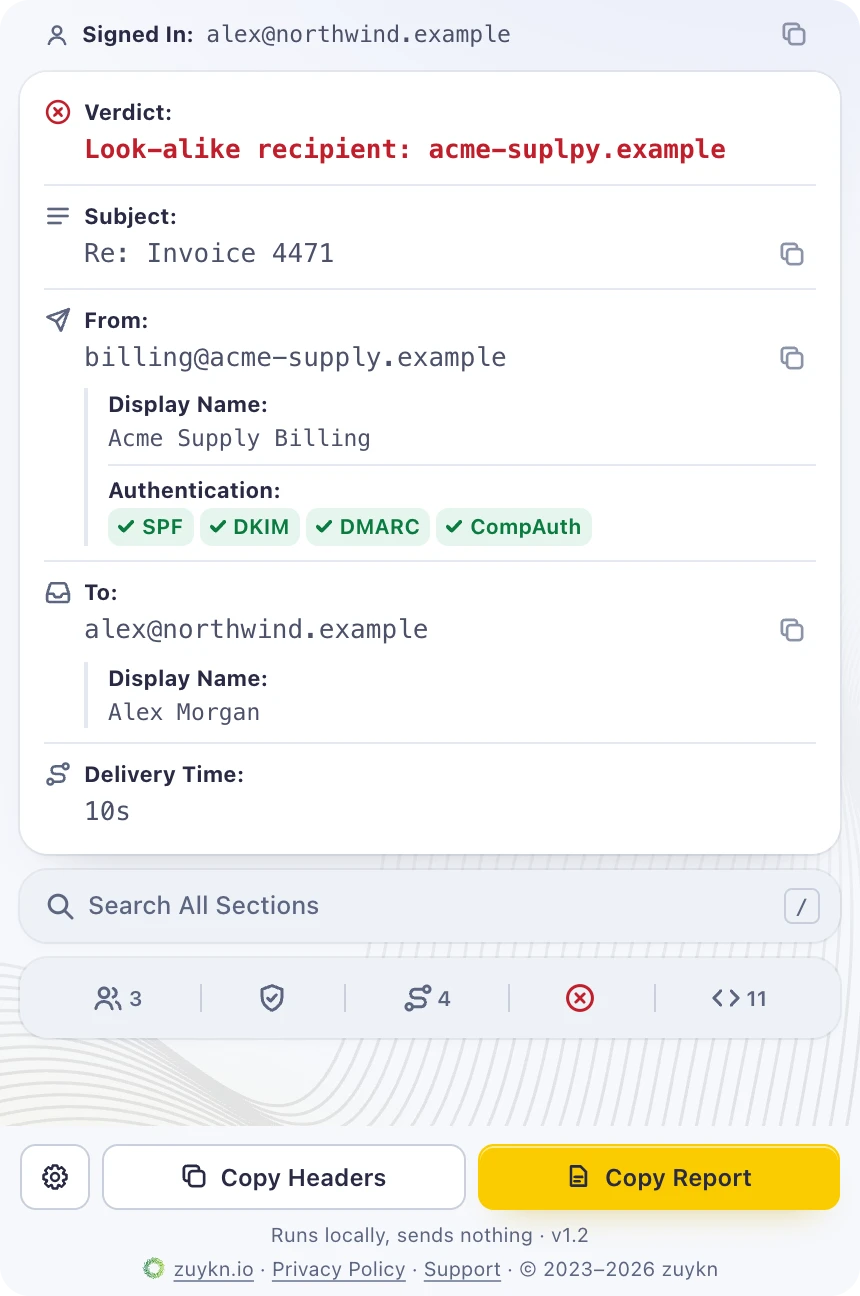
Every Display Name, decoded. Outlook shows names; attackers pick them. Email Analyzer shows the real sender and the address each message was sent to, checks SPF, DKIM and DMARC, flags the tricks phishing relies on, and shows its verdict in the Message Banner above every message.
Built for Microsoft 365, from small teams to large enterprises. IT, security and help desk teams triage suspicious mail in seconds, and any employee can check a message before clicking. Admins deploy it from the Microsoft 365 admin center, with nothing to install on devices.
No telemetry or data collection. Analysis runs on your device. No account, sign-in, tracking or ads. It reads only the message you open and never sends its content, addresses or results to zuykn or anyone else.
Features
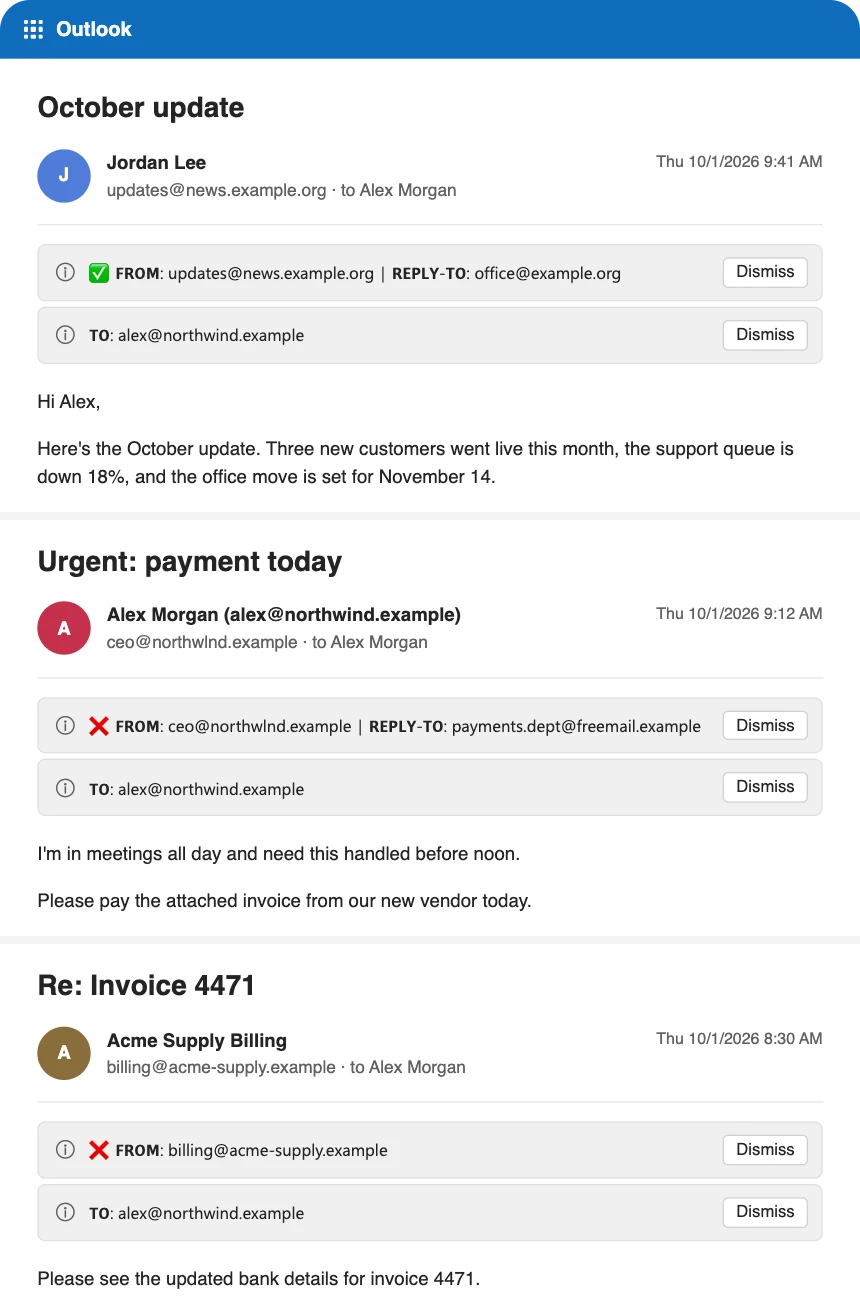
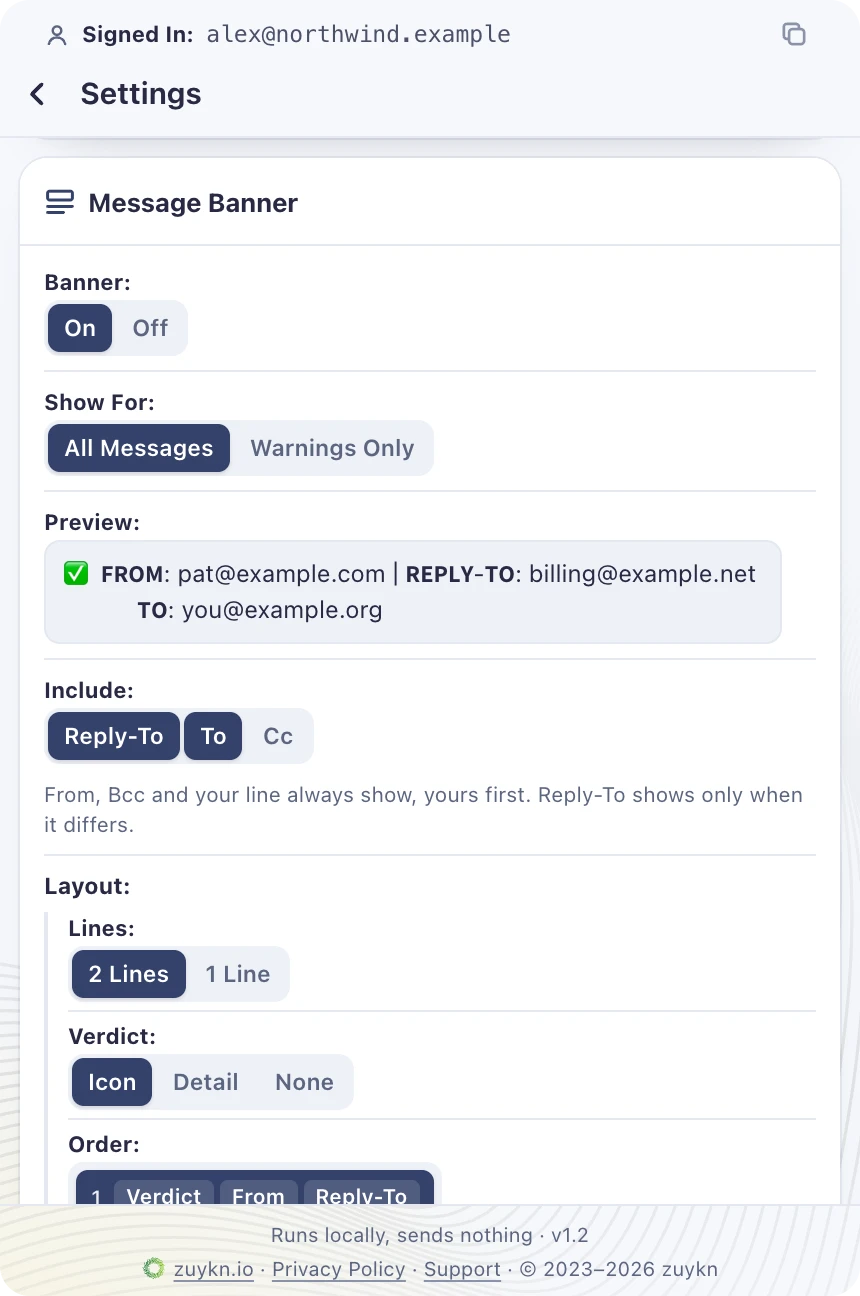
- The Message Banner uses Outlook’s built-in notifications to show the verdict, From, Reply-To, To and Cc above every message, in your choice of layout
- The real sender and the actual address it was sent to, behind every Display Name
- Your aliases and distribution lists, recognized once you save them in Settings
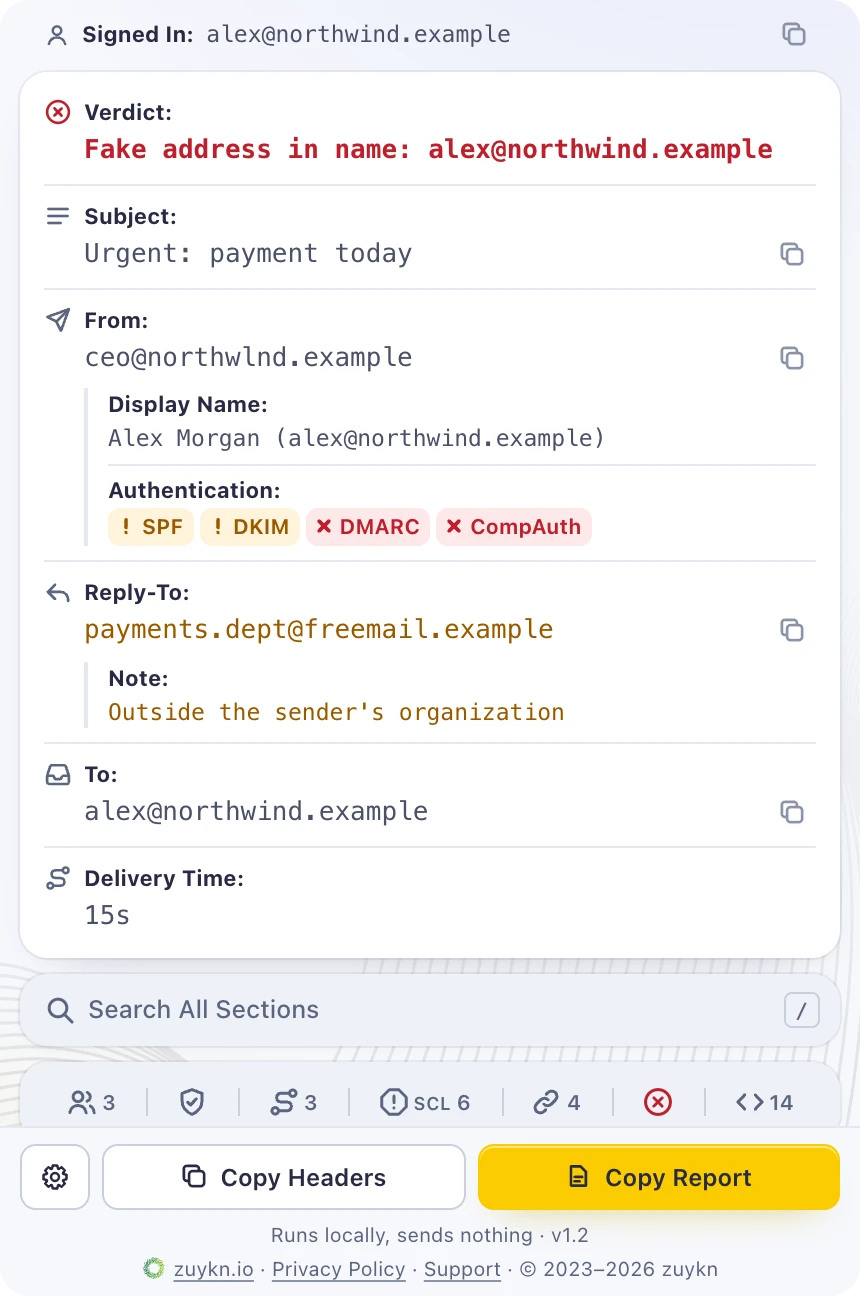
- SPF, DKIM, DMARC and Microsoft CompAuth at a glance, from your own mail server’s results
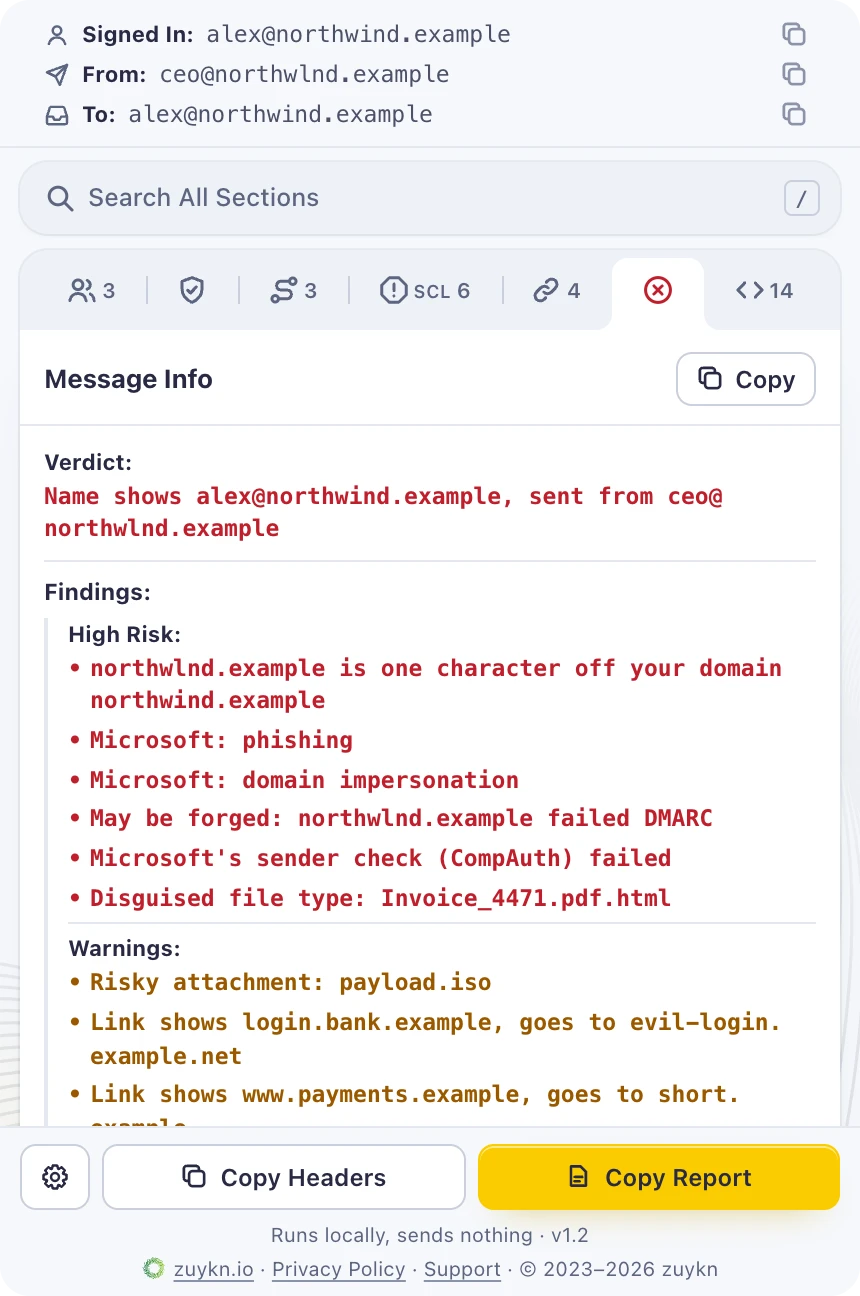
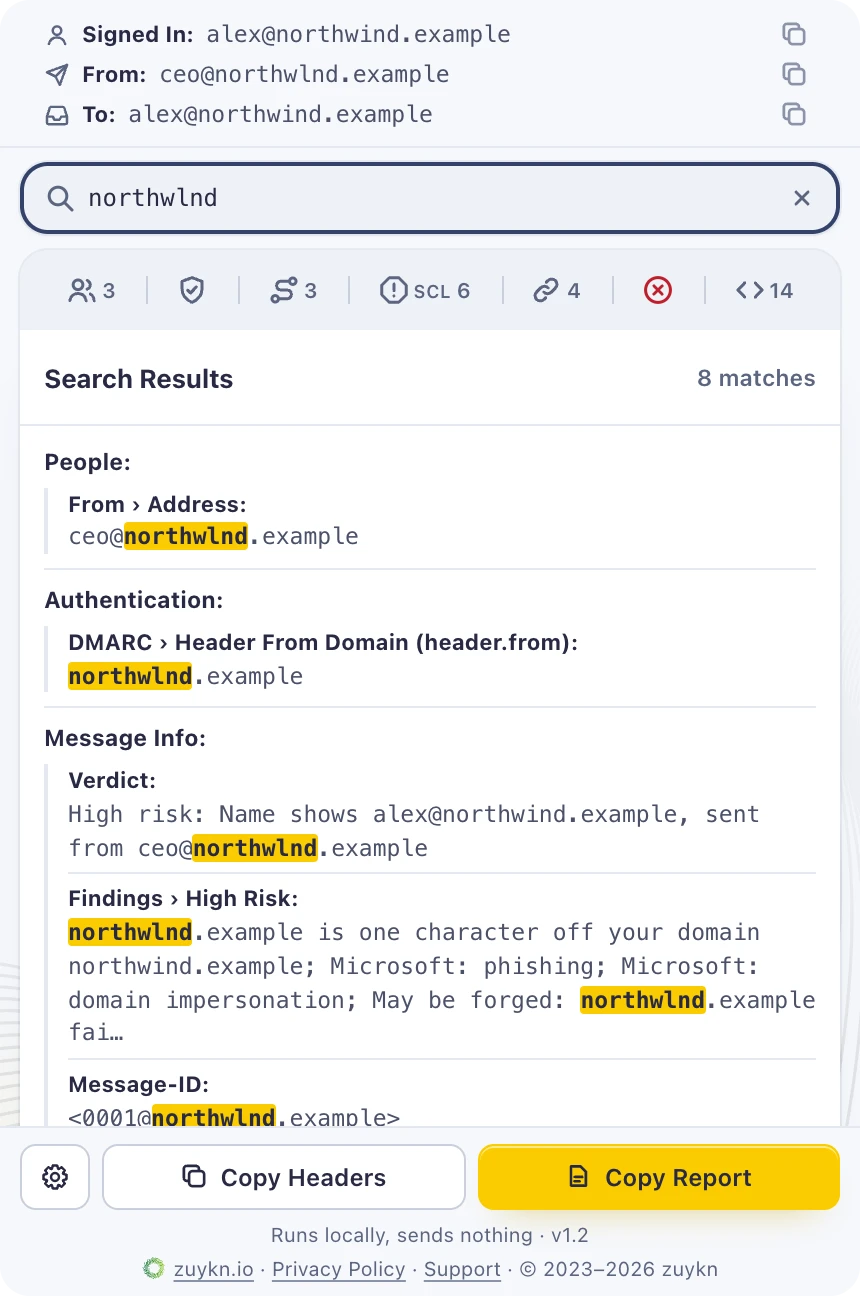
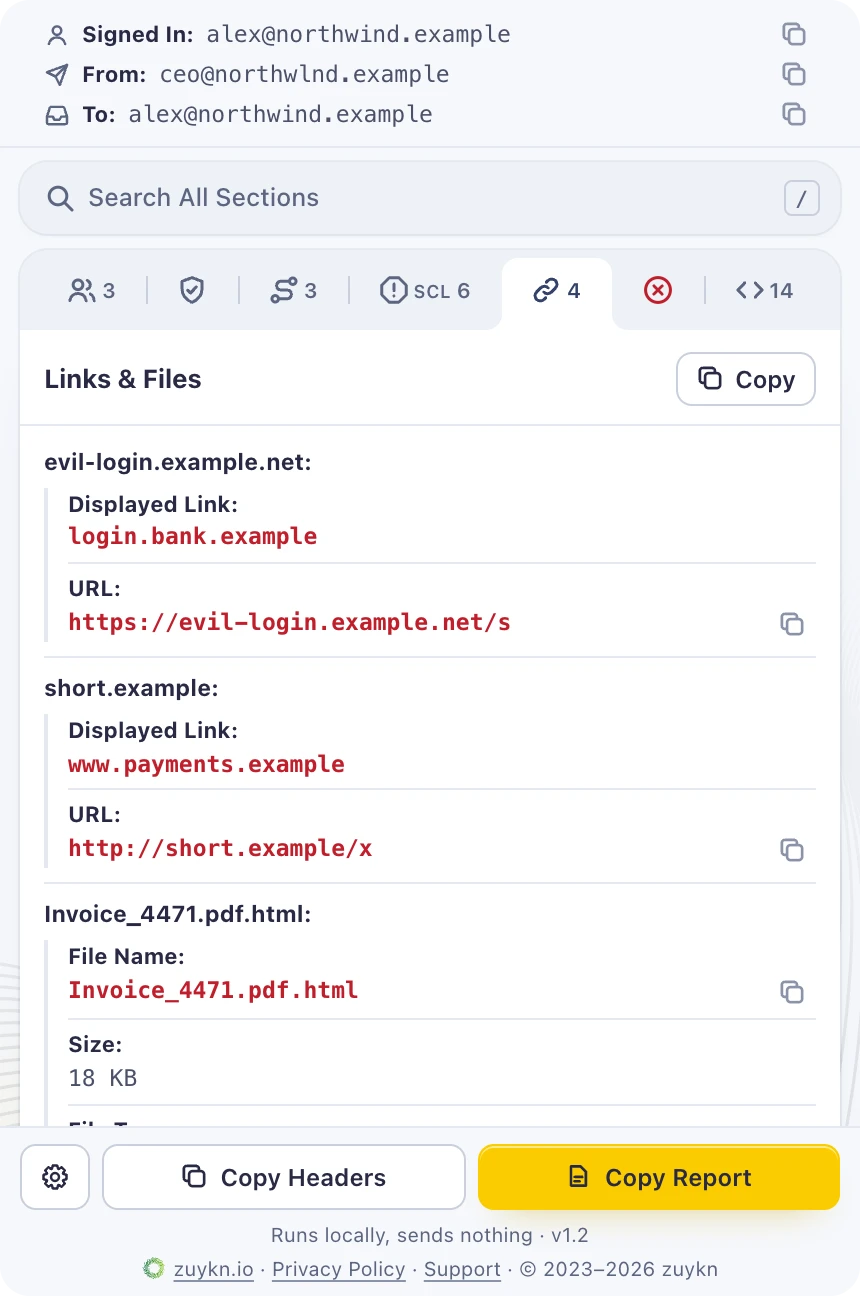
- Look-alike domains and recipients, fake addresses in names, Reply-To swaps, disguised links and risky attachments, flagged and ranked by risk
- One search across every section, plus the original headers filtered as you type
- Every link exactly as written, flagged when its text names a different site
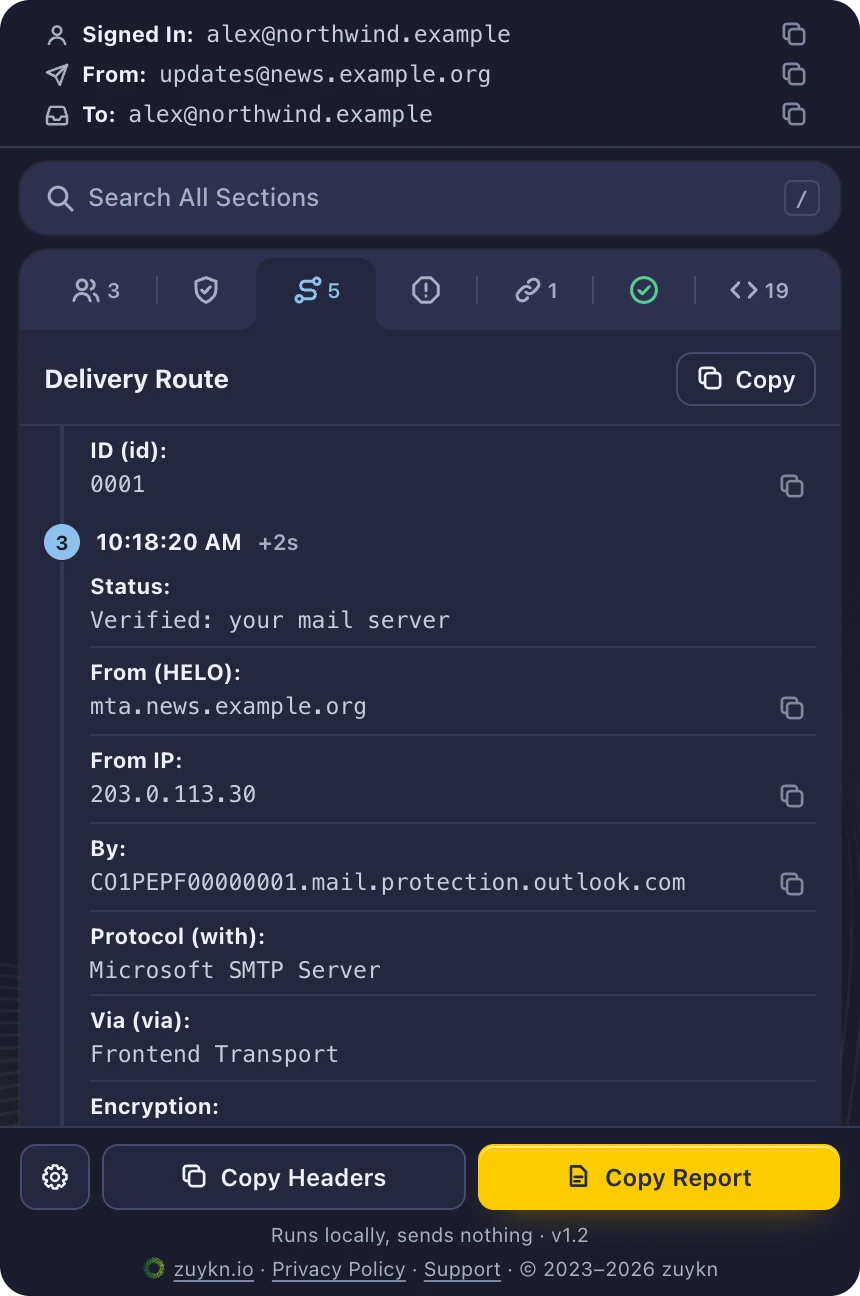
- Every delivery step with its exact time, the gap since the last, and everything each server recorded
- Accurate behind inline security gateways such as Check Point
- Microsoft’s spam verdict in plain English
- One-click copy for any address, list, section, the raw headers or a full report, in plain text or Markdown
- Settings that follow your mailbox across devices: theme, time format, time zone, keyboard shortcuts and more
What’s New in v1.2
- Message Banner: the verdict, From, Reply-To, To and Cc above every message, in Outlook for Windows, Mac and the web
- Message Banner settings: 1 or 2 lines, the verdict as an icon or in detail, the order, icons, label case and separator, with a live preview
- The verdict leads the pane, one click from every finding, grouped by risk
- Reply-To on the card, flagged when it leaves the sender’s organization
- The line you received it on comes first: To, Cc, Bcc or the address it was delivered to
- New checks: look-alike recipients, any address in a display name, and From lines naming different senders
- Every clause each server recorded on the delivery route, with the steps your mail server verified
- Dates and times in 12- or 24-hour format, local or UTC, and settings that sync through your mailbox
Use Cases
- Confirm who really sent an invoice, payment change or password reset before acting on it
- Pin the pane and see each message’s verdict in the Message Banner as you work through your inbox
- See who a message was actually sent to, even when you were BCC’d or reached through a distribution list
- Catch a reply that would go to a look-alike or outside address
- Triage user-reported phishing in seconds, then paste a full report into the ticket
- Check SPF, DKIM and DMARC results while troubleshooting mail delivery
Get Started
- Get it on Microsoft Marketplace, or have your Microsoft 365 admin deploy it to everyone from Integrated apps.
- Open any email in Outlook and choose zuykn Email Analyzer on the message toolbar. In Outlook on the web and new Outlook, it’s under Apps; pin it to the toolbar in Settings, Mail, Customize actions for one-click access.
- Results appear in about a second, with the verdict in the Message Banner above the message. Pin the pane and it follows each message you select.
- Optional: save your aliases and distribution lists in Settings so they’re recognized as yours.
Need a Tool That Doesn’t Exist Yet?
We build Splunk apps, Outlook add-ins and internal tools like this one for clients, with senior engineers from scope to release.
Have One Built →